Management Console Configuration
- Point your browser at the Backrest console. This will typically be http://localhost:9898/ if you installed locally by following the default installation instructions.
- You should then see the following pop-up dialog box:
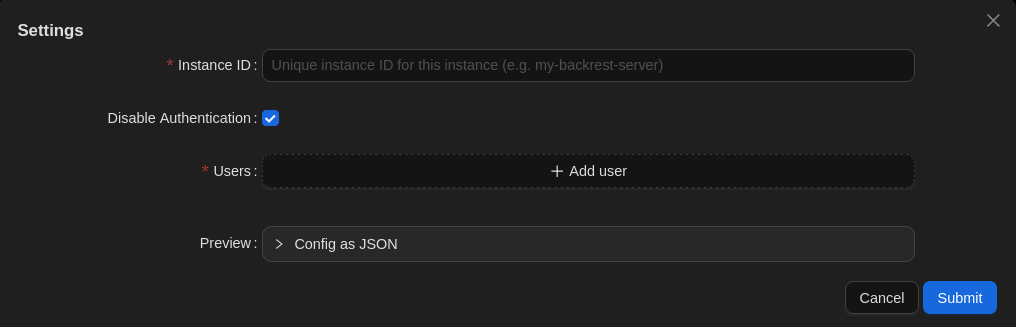
- Enter an Instance ID: The instance ID is a unique identifier for your Backrest instance. This is used to tag snapshots created by Backrest so that you can distinguish them from snapshots created by other instances. This is useful if you have multiple Backrest instances backing up to the same repo. It cannot be changed after initial configuration as it is stored in your snapshots. Choose a value carefully.
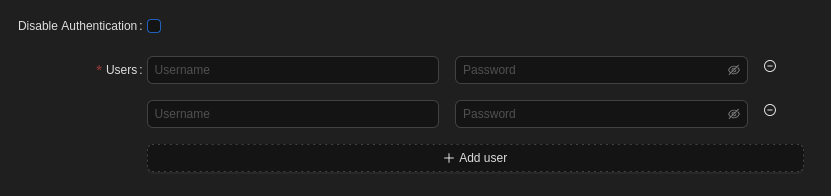
- Disable Authentication: If you’d like all users of this device administer your configuration (e.g. you’re the only user), you can leave this box checked because it can only be accessed from the device itself. Otherwise (e.g. you have other users that should not be able to alter settings), uncheck it.
- Users: Add credentials (username & password) for each administrator, including yourself, if you enabled authentication.
- Hit the Submit button to save the above settings.